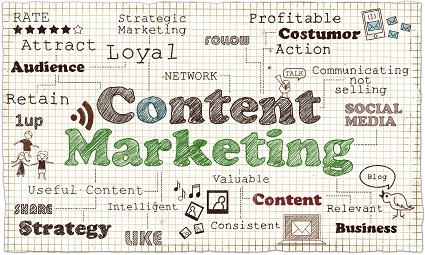
Integrating Online Marketing Efforts
We offer a variety of online content services, and that’s probably a mistake.
Strong, optimized web content increases traffic and conversion. Regularly updating your web content improves search results and the ROI of your website.
Companies with blogs get at least 50% more leads than those that don’t have blogs — more if they have regularly posted blogs over a long time.
Companies with effective social media increase sales and/or reduce marketing costs. They reach potential customers through channels consumers trust.
Analytics allows you to measure the results of your efforts, to learn more about your visitors, and to monitor and to respond to your traffic.
Linkbuilding increases traffic, improves search results, and extends the value of your website.
So we offer web content, blogging, social media management, analytics, and linkbuilding.
But look what happens if you put them together.
Social media mentions drive more traffic to your blog. Linkbuilding does the same. Blog readers mention you in their social media — if you’re there, you can engage with them. Joining conversations in your field — a method of linkbuilding — increases your authority, improving the value of your social media efforts and the visibility of your blog. Blogging extends conversations elsewhere on the web, driving traffic to your website and giving you more to link to with your social media. It also increases the number of indexed pages at your website, increasing the value of your site and improving your search rankings — while giving you more linkbait. Analytics lets you see how each element affects your traffic, leads, and conversions and how they work together, alerting you to opportunities which you can then leverage with blogging, social media, linkbuilding, new website content, or a combination of strategies.
Each element of your online presence improves the effectiveness of each of the other elements, so that a good website with integrated social media is more valuable than either a good website or effective social media on its own. Add linkbuilding, analytics, and blogging, and you have a system with value greater than the sum of its parts.
We’ll continue to offer all these elements: we know that people want to be able to choose one from column two and two from column three. But we sure like to see the powerhouse effect that all the pieces have when they’re brought together.
Balanced Web Traffic
The image at left, from the analytics report of our lab site, probably looks pretty familiar to you if you use Google Analytics at all. This pie chart shows the most general information about your traffic sources: the percentage of your visitors finding you via search, referral, and direct traffic.
All things being equal, we like to see even numbers, or about one third each from these major sources of traffic. A fourth source, campaigns (yellow) should show up if you do email campaigns; this site doesn’t, so the lack of yellow in the pie chart doesn’t mean the campaigns are ineffective.
Our lab site is where we try out things for search, so it has always had a very high proportion of search traffic. There are dangers in this kind of profile, though:
- A change in the search algorithms can lose you a lot of your traffic. In October, this site lost all Google traffic for the term “lesson plans,” which is the subject of the web site. Our traffic fell by half instantly. It’s our lab site, so it was merely another interesting experiment, but for a business, this could be a terrible thing.
- At the very least, a profile like this shows lost opportunities. We’ve had fewer than 1,000 direct visits. If we increased that number by networking, advertising in the physical world, or increasing our online visibility to increase brand awareness, we could increase the number of direct visits. This wouldn’t decrease the number of visitors who arrived via search, so why not do it? Ditto for referrals and campaigns — with no traffic from campaigns and only 11% from referred traffic, this site could definitely grow if linkbuilding and email marketing were added to the mix.
When you see a pie chart like this one, you’re seeing more than half of your traffic coming directly to your website. This can mean a couple of different things. First, it can mean that you are so well known and have such a great URL that lots of people go to your site directly.
If your pie chart looks like this, ask yourself how much you resemble Amazon.com. Have you invested as much as they did in radio ads in order to get your site off the ground? Is your name as much a household word, at least among your potential customers, and is your web address as obvious?
If not, chances are good that a very high proportion of direct visitors is caused by your failure to filter out your workers or yourself. Your staff may pull up the website to show things to customers (they certainly should), you may visit your site as part of your morning ritual, or your web workers may go to post your blog or to get information for linkbuilding or social media. Filter them out of your analytics for accuracy.
If you’ve filtered everyone out and your site is not similar to Amazon.com, then a preponderance of direct traffic can mean that you have a small number of very faithful visitors. Check under Audience>Behavior and see if you have less than 80% new visitors. Linkbuilding and social media can help you extend your reach.
A pie chart like this shows an unusually high proportion of referral traffic. This can happen when you have links from a very influential site or a bit of linkbait goes viral. We’ve also seen this when we’ve set up on offsite blog to send traffic to a site. The problem with this is that it’s usually not sustainable. You’re relying on someone else to send you traffic, and when that source dries up, your traffic dries up with it. If you have a profile like this and you know it’s a temporary thing (big traffic from StumbleUpon, for example), that’s okay. If this represents your usual traffic pattern, though, it suggests that you work on optimizing your site for search.
This pattern can also show heavy reliance on social media. In that case, ask yourself how sustainable that reliance is. Do you have staff members or web pros putting in significant paid time, or are you spending every free minute doing it yourself? If it’s the latter, ask yourself if you can keep that up. Is your other work that expendable, or your life outside of work that uneventful? Will it continue to be so in the future?
Social media is great — just be sure you’ve budgeted for it if you plan to rely on it for your marketing. There’s a widespread belief that social media marketing is free, but that’s only true if you don’t count the time involved.
Here’s a site that has fairly even amounts of direct (orange) traffic and referral (green) traffic, but comparatively little search. This usually means that your site needs to be optimized better for search. It can mean that you’re doing a great job of social media and offline advertising. However, search is the most automatic source of traffic, and therefore is likely to be the cheapest. Improving your search results when you have a profile like this can be an investment with excellent ROI.
This is a fairly balanced profile, and the two examples you see are just a couple of examples of this kind of look from our collection. Most of the sites we work with have search as the #1 source of traffic, and these show balance among the other traffic sources or a bit less for campaigns since they may be the costliest option. Organic search is the “set it and forget it” of traffic sources, and typically the one with the least cost once you have a good site built. As long as you’re seeing steady increases in traffic from other sources as well, it’s probably okay to have a bit more than half.
Check your pie chart and see where you have opportunities for expansion that you’re not exploring yet.
Writing About Yourself Online
I’ve spent a lot of this week writing about people online — not about myself, but the kinds of things you might write about yourself. I’m happy to share some suggestions, in case you don’t have anyone to do it for you.
Treat your profile or About Us page like an article.
That is to say, you should have a main point to make and organize your data in support of that main point. I had the opportunity to redo a LinkedIn profile for a favorite client. I was able to brag on him without sounding like bragging because I just marshaled the facts into a readable and persuasive document.
This requires deciding on the main point you want to make and narrowing your focus. Use bullet points and bold letters to draw attention to the facts that support your thesis: “Ken sells 95+% of the homes he lists, while the metro average is 66%” is not a boast; it’s a fact.
Grouping those facts by topic (service awards here, sales figures there) makes your point more clearly than a long list.
Consider appropriateness.
I’ve been working with another favorite client on a website for a new branch of their business. Over the years, I’ve written all kinds of stuff for these guys, and I know what their clients love about them: huge parties, cool events, the best places to see and be seen. Their site receives millions of views every year, either because of my compelling content or because of the numerous pictures of half-clad women. I started out their About Us page with their usual USP, assuring everyone that they have been “rockin’ Chicago with great parties, hot ladies, and the best music…”
However, this new business is a limousine service. The very things that make these guys so popular in their other businesses cause their potential new customers and partners to think about paparazzi, car crashes, and vomit stains. Not the right mood at all. I corrected it.
When you write about yourself, you have to think about the intended audience and how you want them to see you. You may have different sides of your personality to show at different times, and that’s okay.
Match the medium.
My third example is yet another favorite client (yes, I do have a lot of favorite clients), who had a nearly naked page over at Spoke. You might have one over there, too — there are a lot of naked pages over there.
At LinkedIn, you can be a bit sales-oriented, on your About Us page you can do unabashed announcements of how great you are if that’s your style, but info pages need a neutral, unbiased “just the facts” approach. Spoke is okay with a bit of sass, but Wikipedia absolutely is not. These differences mean that you have to look around a bit and analyze the situation both to conform to the rules so your entry isn’t flagged, and also to make best use of the medium.
Can you add a video? Do so. Are links allowed? Make best use of the them. Can you import your RSS feed? Go for it. You won’t know what extra options you have if you don’t make the effort to find out.
If it’s hard for you to write about yourself — it is for a lot of people — I’ll be happy to do it for you. Contact us and we’ll take care of it.
Are Hub Pages Still Good for Your Website?
In the heyday of article marketing, when a genuinely good article at EzineArticles could do wonders for a website, sites like Squidoo, HubPages, and Helium were often used for offsite optimization of websites. Making a Squidoo lens about your company, for example, allowed you to introduce yourself to potential customers via squidoo.com, a domain which is almost certainly more powerful than that of your small business, while also linking to your website as an authoritative source. In fact, we ‘d create high quality content on relevant topics at a company’s website specifically in order to link to it from a high quality Squidoo lens, and often ended up with multiple links from other sources to both the pages. It worked well.
Unfortunately, it worked well enough that the web became infested with poor quality and even autogenerated articles thrown together simply to game the system. Hundreds of valueless pages clotted the search results for popular topics and search engines cracked down on the practice.
Does that mean that hub pages — user generated pages including good articles and curated content — are now worthless? Not necessarily. After all, Squidoo.com still probably gets more traffic than your domain.
Here’s my advice on hub pages:
- Make sure you have plenty of good content on your own site first. If you don’t have authority pages, a blog, whitepapers, or some other excellent stuff to read at your own website, don’t spend your time building other sites.
- Use hub pages as a linkbuilding tool. That is, treat the opportunity to drop a link into a good hub page or lens just as you would any other linkbuilding opportunity: focus on the quality, the relevance, and the overall value.
- Think of a good hub site as a good directory. Squidoo says that every business should have a Squidoo lens, and you should. You should have a Spoke page, too, and a LinkedIn page, and a page at BrownBook, and a good Google Places page. Any site that lets you share good content about your company is a good place to be. The better your page, the better it is for your company.
At Spoke, a shot from which is at the top of this post, your company may already be listed. If so, your company’s page very likely has almost nothing on it. It could have a link to your website, a video, links to your press releases, and an enticing description of your company and its offerings. Which do you think will be more beneficial for your company?
Add Slideshare to Your Social Media Arsenal?
In this month’s Success Magazine, Seth Godin answers the question, “How many social media sites should you use?” with, “No one asks how many hours you ought to spend answering the phone… Use the tools that help you achieve your purpose.”
I’m taking this as permission to tell you about yet another social media option that you might be overlooking: SlideShare. SlideShare is the largest stage for sharing presentations, as in PowerPoints and Keynotes. SlideShare had over a million visitors in 2007, and last year they topped 60,000,000,000.
SlideShare lets you upload your content, create a branded channel (with paid packages), and add links back to your website. You still own the content, and you can easily embed it in your blog, Facebook page, and so forth. So far, they sound a lot like YouTube, right?
That would be a good enough reason to use them, frankly. YouTube has enormous potential for most businesses, so what’s not to like about a service that works much the same way? It gets better.
At YouTube, the average viewer is a young person whiling away free time with videos of battles between cats, old TV episodes, or tutorials on eye make up. At SlideShare, the average viewer is a business decision maker. Depending on your business, this can greatly increase your chances of conversion from viewer to serious lead.
YouTube, terrific as it is, has one major issue as a social media channel for business. While it allows you to share your own content with others, you have to make a video. Not everyone can do that, and even those who can will find that it takes more time to make good video than to make a good blog post. At SlideShare, though, you can upload all kinds of content, from videos to PDFs and Word documents. When you do a presentation, think about SlideShare as you prepare your slides and handouts and upload them afterwards. Share your infographics, brochures, whitepapers, or any other content you’ve created or paid for. In other words, you can use SlideShare to extend the reach even of content you develop for offline use.
SlideShare is also one of the social media channels that can be used sparingly without doing you any harm. An inactive Twitter or Facebook account is worse than none at all. SlideShare can be used for one or two good presentations, and still give you a beneficial link. I actually found one of mine uploaded there by someone else with no link back to me but with tweets and downloads; I hadn’t thought of uploading it there myself, and I should have.
Take an afternoon and make a solid profile at SlideShare, especially if you have appropriate content hanging around your computer. Of course, if you need help, let us know. We’ll be glad to assist.
Giving Directions on Your Website.
Maps are practically de rigeur on websites for companies with a brick and mortar shop or office. Directions, however, can be challenging. They can take up a lot of page space, they’re not exactly exciting, and once you get started, they can expand (from the west, east, north, south, all the major freeways, airports, and bus terminals…)
So the first question is this: do you really need directions? The example here shows The Retreat at Sky Ridge, a cabin resort in rural Arkansas which isn’t on Google Maps and can’t be found without plenty of effort. We’ve got a map here, plus GPS coordinates, but it really also needs directions, if only to keep the site owner from having to go rescue lost people. If this is you, the answer to that first question is, “Yes.”
Another site we’re working on is for an urban location, but one of those complicated ones where you have to be a native to understand how the address numbers work. It’s also a surprising location for the type of business in question, and the neighborhood is rife with one way streets. This site also could use some directions.
Sometimes it’s less about your location and more about your clientele. Even now, there are plenty of people who cannot read maps. If you know that your customers are likely to fall into that group, perhaps because of the sheer number of phone calls you get from lost people needing you to guide them, then you need directions on your website. And probably an option to print them off as a pdf, too.
If you’re determined to have directions, you have several options. You can start with Google Maps. The”get directions” link in the site shown below links directly to a custom Google map. Once you set it up (instructions at Add an Interactive Map to Your Website), then your visitors have immediate access to driving directions, street view, and more. Follow the instructions at the link above and they won’t even have to leave your site.
Option #2 is to compress the directions as much as possible, add a map, and make a page of it, as we did with the Family Chiropractic Center’s website, shown below. A clear map with the special directions for finding your way to the clinic door covers it. This works only if it’s possible to compress those directions.
If that won’t do it, you can make a special Directions page and write out the directions. Place a link to it under the map on the Contact page, in the footer, or in some other inconspicuous spot, and let it be a utilitarian page.
Anatomy of Social Media Success
A client mentioned to us today that clicks to his blog posts had more than tripled since he began working with us earlier this year. Sales are up, too. We weren’t amazed by this — we use social media because it works, not in case it works — but it did make me think about why this client is seeing measurable results quickly, when some take longer to show as much improvement.
I can see three things that definitely make a difference:
- They share useful information . This client is willing to share good stuff that they can access — and other people sometimes cannot. Naturally, we always find useful information for people to share, but having something new that you’ve generated gives you an advantage. Chances are, you do have information that people outside your store or office don’t always have. Are you willing to share it?
- They have places to send people. Social media drives traffic — which is great if you have someplace to send your tweeps and Facebook friends. You need a good website, certainly. You’ll have better results, too, if you have dynamic content so it’s not just a matter of sending people to your homepage repeatedly. This client has a blog and dynamic product pages, so we can send people to those pages to get more information. Of course, we also send them to plenty of other places.
- They’re willing to let it work. Traditional marketing’s rule of thumb was to expect no results at all for five months; any increased sales before that time were gravy. Online marketing tends to be faster, but not as fast as people often expect. This is (and always has been) one of the reasons that people don’t succeed with any kind of marketing: they give up entirely or tweak their process constantly so they don’t know what would work for them in the long run and what wouldn’t. Just so, many companies that start in doing social media right don’t see immediate results and go back to their bad habits of treating it like advertising or participating irregularly. This client let us move in gradually and establish a good level of communication. (See our social media infographic for more detail.)
We’re not talking here about being good at social media. Being good at social media involves finding and sharing useful and interesting stuff, being authentic, being interested in your community, being articulate — stuff like that. We’re equally good at social media for all our clients. We get good results, too.
We’re using a tool that allows us to get a quick report on our overall results with all the accounts we manage. Here are the figures for the past month:
| New Twitter Followers | are up by | 59% | |
| New Facebook Fans | are up by | 481% | |
| Retweets | are up by | 180% | |
| Incoming Messages | are up by | 42% | |
| Sent Messages | no change | – |
There’s no change in sent messages because we make a point of being fairly consistent — not unnaturally so, but we don’t have flurries of posts and tweets and the disappear. This number doesn’t change by more than 1 or 2 percent either way. Apart from that, you can see that we have higher levels of engagement across the board. This is what you get from doing a good job with social media.
The level of success of each client, however, reflects the factors discussed above. Look at your own company’s social media efforts. Are you willing to share your expertise? Do you have a good website with dynamic content? Are you willing to work within the constraints of the medium and a realistic time frame?
If not, your social media skills may not be the issue.
Rewrite Your Content, or Reorganize It?
Many of the projects we do involve rewriting, and often the original writer of the material jokes nervously about their “mistakes.’ Mistakes can be the issue; punctuation and spelling errors give a negative impression of your company to your website’s visitors, and also seem to affect your search results negatively.
But mistakes are fast and simple to fix. The more important aspect of a rewrite is often the organization of the materials. I’m working right now on a book that examines the history of an organization. The years from 1900 to 1940 are treated in a chapter that lists events in chronological order. If you read them all, though, you can see that this could also be the story of multiple failed attempts at a merger — failed because of economic factors and human ones — that finally culminated in a 1950s success that was not only the climax of half a century of abortive efforts but also the harbinger of changes in the larger society.
Which approach sounds like a better read?
We’re talking about a book here, but the principles are the same for your website:
- Look at the big picture. When you think about reworking your copy, don’t go at it like a proofreader first. Read it all first and get a sense of what’s there and how it could be sorted — there will be lots of possibilities, and some will be better than others. (Come back later and go at it like a proofreader.)
- Find the story. There’s always a story, even if it’s a slim story like customers saving time because of your software or a problem being solved by your service. Find the best story you’ve got and tell it. That doesn’t mean that you have to have anecdotes, though there are hardly any websites that can’t be improved by a good case study. Just putting the features and benefits in the right order can create a better story.
- Think about your customers and your goals. Do they want to be able to buy a commodity or get a service fast, without reading much or searching? Make an easy path for them. Do they need to think about your product before they commit — or get to know you so that when they happen to need your service, they think of you? Provide enough to keep them on the site for a while and bring them back, and new things to reward them for returning regularly.
Your web content should lead visitors along the path or paths that get them efficiently to their destination. It should also provide the best possible reading experience for skimmers and for studiers. Both these goals can usually be met by the right organization of your content. Make sure you’re using the right keywords, choose active, direct sentences with evocative language, keep the content and design compatible, and you have effective web content.
If this sounds like something you might need help with, contact Rosie and let’s discuss how we can help.
Video Interviews for Your Website
Videos are good for your website. Many visitors like to get their information that way, they lend themselves to social media use, and they make you look good on the SERPs (search engine results pages).
Interviews are one of the easiest types of videos to do. The conversational aspect is more comfortable for many people than the “talking head” effect of being alone in the video, and the overall effect can be more friendly. Questions and answers cut down on the “ummm” tendency and are easier than memorizing a speech.
That doesn’t mean that you should just turn the camera on and chat. We did an interview with Douglas Hutchings, owner of myDealCompass.com, which has inspired me to collect some dos and don’ts for you.
Do have a plan. We went in with specific questions and we told Douglas ahead of time what we’d be asking so that he could be ready with his answers. At the same time, we also planned the marketing points we wanted to have made, and the various ways we’d distribute the video, so we could be sure to have appropriate clips for all our goals.
Do be open to serendipity. As Douglas talked, other questions came to mind, so we asked those after the main part of the interview was completed. We also accepted Doug’s invitation to visit his lab, and got some footage there as well. These additional elements will give us some different views and movements to use in editing, too. The structure of the interview is there, so it will look like an interview, but it will look like an especially interesting interview.
Do think about the visuals while you’re setting up and shooting. If you look closely at the picture of the top of the post, you’ll see Rosie and her camera reflected in the mirrored background of a display case. It was just a couple of frames and we can edit it out, but it would have been sad if the whole interview had been done in that spot. In the image below, you can see where we put interviewer Jonathan and interviewee Doug: in front of a simple background, with no plants growing from their heads. Outside of a studio or a green screen, you can’t usually get a completely plain background, but this one isn’t distracting.
Don’t try to do it alone, even if you have a tripod or webcam that makes it possible. Rosie was watching the video, even when she was using a tripod, to catch any sections that needed to be redone. I was listening and taking notes to identify topics we’d want expanded on or clarified. That meant that Jonathan was able to relax and interact naturally with Douglas instead of having half his attention on the filming.
Don’t try to do it all in one go. The basic interview took about ten minutes. Douglas was willing to spend another ten with us making sure that we had all the footage we needed. That meant we didn’t get started editing and have to work around a bad shot or an unclear word.
Don’t forget the closing “thank you.” When you finish the footage, you won’t be finished with the interaction, so it’s easy to end up with your “Thanks for taking the time” off camera. It makes a nice ending to your interview, though. Record it and then have interviewer and interviewee smile at one another a moment before turning away to allow for editing.
These reminders will help you make the experience smooth and painless for everyone.
Sharing, Curating, and Keeping Secrets
We usually recommend Twitter, Facebook, and LinkedIn for all of our clients. We also suggest special networks like forums within the client’s field or lively blog communities — rarely do we have more than one client in any of those.
We’re increasingly recommending the two newest bright lights in social media: Google+ and Pinterest. Basically, we suggest Pinterest for everyone who has a photogenic business and G+ for everyone who’s willing to put in some time.
Pinterest has obvious benefits for those who have a physical product. Great pictures of your stuff get pinned and repinned, and they carry your link with them. People click through to your site and buy things. If they like your stuff, they follow your Pinterest boards, and then you’ve essentially got an invitation to announce all your new products to them.
What if you have a service, though? Or something that might not pin well, like batteries? Then you can pin images that bring people back to your website for lead generation purposes, interspersed with cool stuff you’ve found elsewhere. For example, a caterer could pin pictures from catering jobs and photos of recipes — and also images of interesting table settings or bridal flowers from noncompeting websites.
“Think of it as a bulletin board,” said Rosie. “You save your ideas there for the future, and share them with other people.”
“Why would I share the ideas I find instead of keeping them for myself?” our client asked cannily.
We pointed out that the ideas aren’t private now, really. They were already on the web, or out in the world where our client photographed them.On Pinterest, they’d be in a curated board so our client would, in a way, get credit for them.
“That way, you get to be the useful, helpful, knowledgeable person,” I explained. “People follow your board, and some of the things you pin are links back to your website.”
Then, I continued, other people repin your pins on their own boards, drawing new people from their own circles to see your boards and eventually your website. At this point, many people are also posting their Pinterest boards and pins to Facebook and Twitter, increasing your potential reach exponentially. What’s not to like?
Those really new ideas that you came up with yourself? Your special tricks of the trade? You don’t have to share.